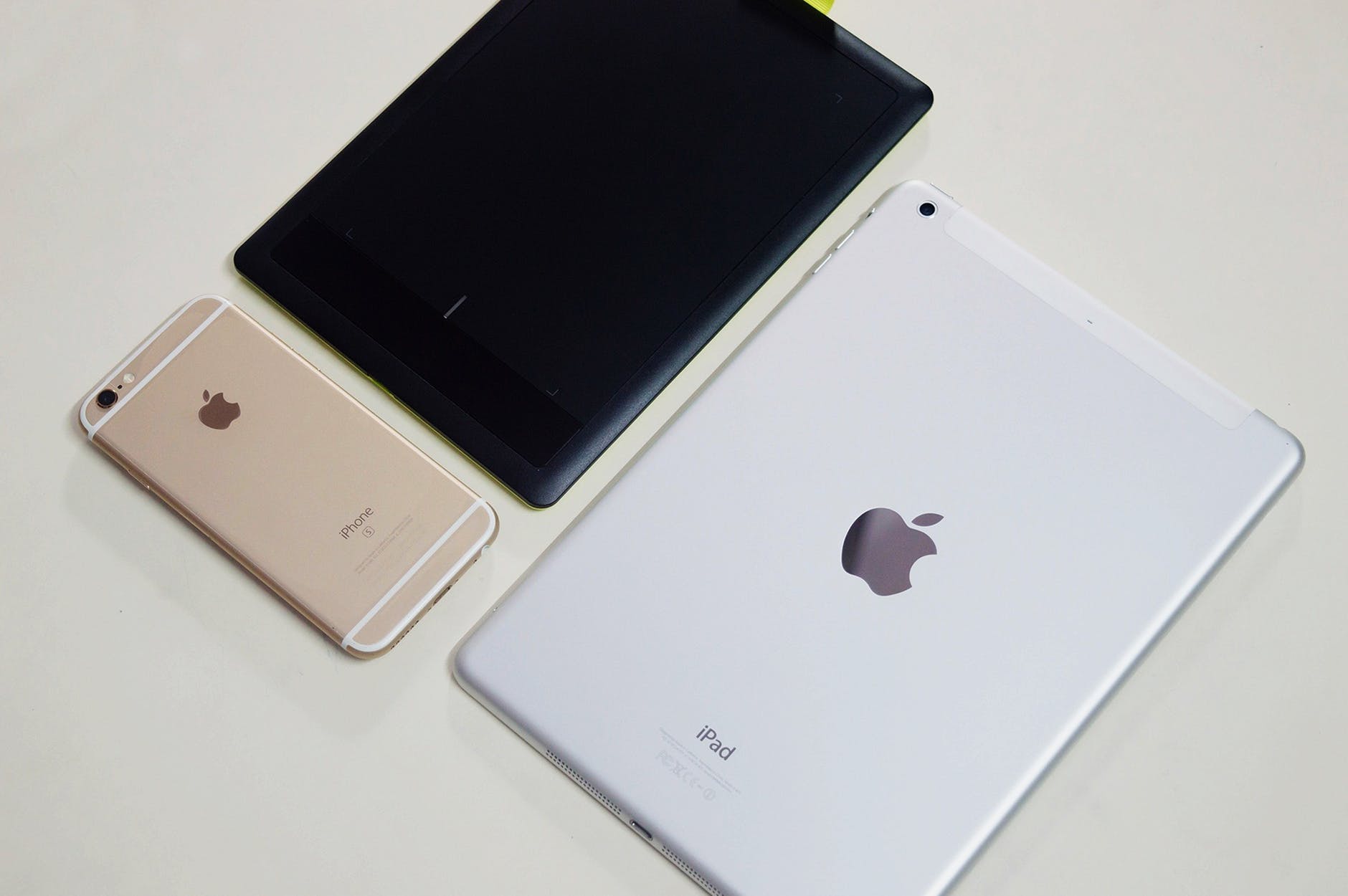
Buy a refurbished iPad if you want Apple hardware at a discount — but buy a certified refurbished one, not a private “used, as-is” listing. The safest option is Apple Certified Refurbished: every unit is fully tested, gets a new battery and a new outer shell, ships with all manuals and accessories in a new white box, carries the same one-year limited warranty as a new iPad, and can be extended with AppleCare+. If Apple does not stock the model you want, buy from a third-party refurbisher that puts a one-year warranty and a return window of at least 30 days in writing.
It is obvious that if you want something which is the best of its kind then you need to pay a really high amount for it. But not everybody and anybody can pay those high prices, so it is sometimes wise to make smart decisions. These days there are many options available in the market which you can opt for to buy something for yourself. Ever since the idea for buying refurbished products has come up in the market since then many people have been able to buy products at really reasonable prices for themselves. For example; Apple products which are known for its amazingly great quality and even better services are really expensive to afford and many people cannot even dream of owning them because of their sky-high prices. But if you go to buy a refurbished Apple product then it will become much easier for you to afford. One trending product in the market is the Apple iPad, you can buy refurbished iPad pro online at very much reasonable prices.
But, before buying refurbished products too you need to keep a few things in mind, some of which are;
Run all seven — quality, functionality, price, leftover iCloud data, payment, returns and proof of purchase — and add the check that matters more with every year that passes: how many iPadOS updates the model has left. The 2018 11-inch iPad Pro and the 2019 iPad Air have fallen off Apple’s major-update list, which is why “cheap” and “good value” are two different things.
The 9-Point Refurbished iPad Checklist
| # | Check | Where | Pass condition |
|---|---|---|---|
| 1 | Seller reputation | Ratings, warranty terms | ≥1 year warranty, ≥14-day returns |
| 2 | Model number | General → About → tap part number | Matches listing and box |
| 3 | Update runway | iPadOS 27 compatibility list | ≥2 more major versions |
| 4 | Battery health | Settings → Battery → Battery Health | ≥80% maximum capacity |
| 5 | Activation Lock | Erase it, then set up yourself | Reaches “Hello” with no old Apple Account |
| 6 | Serial / coverage | Apple’s Check Coverage page | Serial recognised, family matches |
| 7 | Functionality | Screen, ports, cameras, wireless, Pencil | Everything passes |
| 8 | Price | vs Apple refurbished and new | 15% (Apple) to 30–70% off |
| 9 | Payment and paperwork | Card or PayPal; invoice | Traceable payment plus a real bill |
Check 1: Quality — Only Buy From a Renowned Seller or a Reputed Website
It is not difficult to find a refurbished Apple product easily online. Apple products work just fine even if you plan to buy their refurbished versions. If you are planning to buy refurbished iPad then you must make sure that you check for the quality before purchasing it. You should only buy refurbished Apple product from a renowned seller or a reputed website.
Apple’s programme puts every unit through full functional testing, replaces any defective module with a genuine Apple part, cleans and inspects it, and repackages it with manuals, cables and a new box before a final QA inspection. Third-party refurbishers work to different standards, which is why they publish grades: Grade A / Excellent has no marks visible to the naked eye, Grade B / Very Good has micro-scratches invisible from 30 cm away, and Grade C / Good has clearly visible wear. Grade B is normally the best value.
Buy the hardware refurbished with confidence, but check the software support window first: an iPad that no longer receives iPadOS updates is a bad buy at any price. A physically perfect 2019 iPad Air, for example, now runs an iPadOS version Apple has stopped updating, so it will slowly lose app compatibility.
Check 2: Functionality — Get Every Part Tested Before You Accept It
You need to check for the proper functionality. On receiving the iPad you need to get it checked from a local retailer and see if it is functioning properly. All the parts should be in proper working condition and function as good as the new one. Therefore, you must always check the proper functioning of the iPad.
You can also run the whole check yourself, on the spot, before you accept the delivery:

- Screen and touch: open a white and a black page to spot dead pixels and backlight bleed, then drag an app icon slowly around every edge to catch dead touch zones.
- Ports and buttons: plug in a USB-C cable (or Lightning on older models) and confirm it charges and the port is not loose; press every button.
- Cameras and audio: take a front and a rear photo, record a short video, play it back through the speakers and headphones.
- Wireless: join Wi-Fi, pair a Bluetooth keyboard, and on cellular models confirm the modem appears in Settings → General → About.
- Biometrics and accessories: enrol a fingerprint or a face and unlock three times; pair an Apple Pencil if support matters.
- Battery: open Settings → Battery → Battery Health and read Maximum Capacity and the cycle count. This screen only exists on iPad Pro (M4 and M5), iPad Air (M2, M3 and M4), iPad mini (A17 Pro) and iPad (A16). Older iPads do not have the row and no update will add it — for those, connect to a Mac and read the battery with a diagnostics utility, or run a runtime test.
Apple designs iPad batteries to retain up to 80% of original capacity after 1,000 charge cycles, so 80% or better is a reasonable buy. Apple’s flat battery service fee is about US$99 in the United States for most iPads, so a cheap iPad with a dead battery is rarely a bargain.
Check 3: Price — Refurbished Products Are Cheaper as Compared to the New Ones
Refurbished products are cheaper as compared to the new ones so all you need to make sure that the one which you are buying is actually cheaper than the alternatives, and not just cheaper than it was on the day it launched.
In 2026 the discount depends entirely on the channel: Apple’s own refurbished store typically sits around 15% below new, while third-party refurbishers advertise 30–70% off because they are selling several generations back. A 2019-era iPad Pro that looks like a steal can still be a bad buy if the model no longer receives major iPadOS updates, so price a refurbished iPad against a refurbished model that still has an update runway , not against its original sticker price.
Check 4: Make Sure That the iCloud and the User Data Has Been Removed and There Is No Data of the Previous User
On buying a refurbished iPad or any other apple product that you wish to buy you must make sure and check that there isn’t any data left of the previous user. If the product is still tied to the apple account of the previous user, then you won’t be able to log in. And if you keep trying to crack the code then the iPad will get locked.
This is still the most expensive mistake you can make, and the mechanism now has a name: Activation Lock , the Find My feature that ties a device to an Apple Account even after it has been erased. A freshly reset iPad can look clean and still be unusable, so check it in this order:
- Have the seller erase it in front of you (Settings → General → Transfer or Reset iPad → Erase All Content and Settings).
- Start setup yourself and make sure it reaches the “Hello” screen without asking for the previous owner’s Apple Account or passcode. If it asks, walk away.
- Look for a “This iPad is supervised and managed by …” message, which means an organisation still owns it through MDM.
- Run the serial number through Apple’s Check Coverage page — but note that a coverage result is not an Activation Lock clearance and does not prove the seller owns the iPad.
Check 5: Choose the Secure Mode of Payment
Choose for an option that is more secure, preferably use a third-party application that will ensure a proper record of the payment. In-hand payments should be avoided.
Concretely, that means paying by credit card, PayPal Goods & Services, or a marketplace checkout that holds funds until delivery, so you have a chargeback path if the iPad arrives locked, misgraded or not at all. Bank transfers, cash on collection and “friends and family” payments remove that path entirely.
Check 6: Check for the Return Policies
This is one of the most crucial things that you need to keep in mind before making your purchase from any website. Because when you are buying a refurbished product at that time you need to make sure of the return policies so that if you face any kind of problem then you can get a replacement or get a totally new one.
Read the small print, because the numbers differ by channel: Apple gives 14 days, Back Market and Amazon 30 days, Best Buy’s open-box window is around 15 days while its Geek Squad Certified units carry a 90-day warranty, and some small refurbishers give only 14 days. That window matters more than the warranty in the first fortnight, because that is when activation lock, dead pixels and battery problems show up.
Check 7: Always Make Sure That You Ask for the Original Bill/Receipt or the Proof of Purchase
It will act as a proof that the product that you are buying is not fake but original. Only an original product comes with a proper bill.
A bill proves you bought the device from that seller and gives you a purchase date for warranty claims, but on its own it does not prove authenticity. To prove the iPad is genuine, cross-check three things that must agree: the model number (Axxxx) on the back case or in Settings → General → About, the serial number the iPad reports, and the device family Apple returns on the Check Coverage page. Add the seller’s itemised invoice and you have paperwork Apple Support will accept.
Check 8: Identify the Exact Model Before You Compare Prices
Never trust the marketing name in a listing. Sellers write “iPad Pro 11-inch” when they mean the 2018 first generation and “iPad Air” when they mean the 2019 third generation — both now outside Apple’s current update list. Identify the hardware instead:
- Open Settings → General → About. Next to Model Number you will see a part number; tap it and it flips to the A-number (for example A1980, A2152 or A2270).
- Match that A-number against Apple’s “Identify your iPad model” page, which maps each one to a family, generation, year, capacity options and Wi-Fi vs Wi-Fi + Cellular variant.
- On some iPads the A-number is printed on the back cover; on others Apple says it may be inside the USB-C or Lightning connector. Settings → General → Legal & Regulatory shows the regulatory model number and certification marks as a second opinion.
- Do not decode the serial number to guess a manufacture date — Apple moved to randomised serial numbers from 2021 onward, so the old decoding rules no longer apply.
Check 9: Check How Many iPadOS Updates the Model Has Left
This is the check that did not exist in 2019 and is now the one that decides whether an old iPad is worth buying at all. iPadOS 27, released on 14 September 2026, dropped five models that ran iPadOS 26:
| Model dropped by iPadOS 27 | Released | Last major version |
|---|---|---|
| iPad Pro 12.9-inch (3rd generation) | 2018 | iPadOS 26 |
| iPad Pro 11-inch (1st generation) | 2018 | iPadOS 26 |
| iPad Air (3rd generation) | 2019 | iPadOS 26 |
| iPad (8th generation) | 2020 | iPadOS 26 |
| iPad mini (5th generation) | 2019 | iPadOS 26 |
The floor for iPadOS 27 is iPad Pro 12.9-inch (4th generation) and iPad Pro 11-inch (2nd generation) and later, iPad Air (4th generation) and later, iPad (9th generation) and later, and iPad mini (6th generation) and later. Apple gave those five models iPadOS 26.7 on the same day, with fixes for 82 security vulnerabilities, and keeps security-only patches going afterwards — so they remain usable but get no new features.
Two rules follow. If you want three more years, buy at or above the iPadOS 27 floor: iPad (9th generation), iPad mini 6, iPad Air 4 or a 2020-or-later iPad Pro. And iPadOS support is not Apple Intelligence support: Apple Intelligence needs an iPad mini (A17 Pro) or any iPad with M1 or later, so an iPad 9 or iPad Air 4 runs iPadOS 27 but never the AI features.
Apple Certified Refurbished vs Third-Party Refurbished vs Used
| Apple Certified Refurbished | Third-party refurbished (Back Market, Amazon Renewed, Best Buy, Gazelle) | Used / private sale | |
|---|---|---|---|
| Testing | Apple’s full functional test and final QA, same technical guidelines as finished goods | Varies by refurbisher; usually a published point-count inspection | Ninguno |
| Parts | Defective modules replaced with genuine Apple parts; new battery and new outer shell | Replaced as needed, sometimes aftermarket | As-is |
| Battery | New | Contractual minimum, commonly 80%+ (Amazon Renewed Premium claims 90%+) | Unknown |
| Box and accessories | New white box, all manuals and accessories | Often plain box, sometimes generic cable | Whatever is in the bag |
| Warranty | One-year Apple limited warranty, same as new | Typically 1 year; as low as 90 days | Ninguno |
| AppleCare | Can be added | Cannot | Cannot |
| Return window | 14 days | 14–30 days (up to 90 days at some specialists) | Ninguno |
| Typical saving | Around 15% off new | 30–70% off new | Deepest, highest risk |
| Risk of Activation Lock | Ninguno | Very low | Real |
Warranty and Coverage Comparison
| Coverage | What it covers | Length | Cost | Worth it? |
|---|---|---|---|---|
| Apple one-year limited warranty | Manufacturing defects | 1 year | Included with Apple Certified Refurbished | Yes — the baseline |
| AppleCare+ | Unlimited accidental damage, battery service below 80%, Pencil and keyboard | 2 years in most regions | Varies by model; roughly US$79–$149 | Yes on iPad Pro / Air; marginal on a base iPad |
| Marketplace guarantee (Amazon Renewed, Back Market) | Replacement or refund if not as described | 90 days to 1 year | Included | Yes, but check whether it is repair, refund or credit |
| Retailer refurb warranty (Best Buy Geek Squad Certified) | Functional defects | 90 days | Included, extendable | Yes as a floor, not a substitute for a year |
| Statutory consumer rights | Right to reject, then repair or refund | 30 days to 6 years, varies by country | Gratis | Always — keep the invoice |
AppleCare+ can be added to an Apple Certified Refurbished purchase at checkout, and in some regions for a few days after the device ships or is picked up. Third-party refurbishers cannot sell it.
Where People Actually Buy Refurbished iPads in 2026
Most buyers shop five channels. Apple Certified Refurbished is closest to new, with a one-year warranty, AppleCare+ eligibility, 14-day returns and around 15% off, but stock rotates fast. Amazon Renewed has the widest selection and a minimum 90-day guarantee, with higher-graded Renewed Premium units claiming more than 90% battery health — check the seller rating as carefully as the grade. Best Buy Outlet / Geek Squad Certified gives 90 days on certified units and about 15 days on open-box, with in-store returns. Back Market aggregates vetted refurbishers, usually with a one-year warranty and 30 days to return, and the deepest discounts. Swappa is peer-to-peer: sellers are verified and payments protected, but there is no refurbishing and no warranty, so every check above is on you. Apple Trade In and carrier trade-in programmes are the alternative — they give credit against a new iPad rather than selling you one, and values drop when a new model is announced.
Preguntas frecuentes
1. Is a refurbished iPad worth buying in 2026?
1. Is a refurbished iPad worth buying in 2026?
Yes, as long as it is certified refurbished with at least a one-year warranty and the model sits at or above the iPadOS 27 compatibility floor. Apple Certified Refurbished gives you a new battery, a new outer shell and the same one-year warranty as new for roughly 15% less; third-party units can be 30–70% less, but only from a seller that publishes its grading, battery minimum and return window.
2. What is the difference between refurbished and used?
A refurbished iPad has been inspected, repaired, cleaned, data-wiped and repackaged, and is sold with a warranty and a return window. A used iPad is sold as-is: no testing, no warranty, no guarantee the previous owner signed out of iCloud, and no comeback if the battery is at 70%.
3. How do I check an iPad’s battery health before buying?
Open Settings → Battery → Battery Health and read Maximum Capacity and the cycle count. This screen only exists on iPad Pro (M4 and M5), iPad Air (M2, M3 and M4), iPad mini (A17 Pro) and iPad (A16) — on every older iPad the row is absent and there is no setting to enable. For those, connect the iPad to a Mac and read the battery with a diagnostics tool, or charge to 100%, use it for an hour and see how far it drops. Aim for 80% or better.
4. How can I tell if a used iPad is activation locked?
Have the seller erase it in front of you, then start setup yourself. It must reach the “Hello” screen without asking for the previous owner’s Apple Account or passcode. Do not accept a screenshot, and do not treat a clean Check Coverage result as proof — coverage lookup and Activation Lock are separate systems.
5. Which refurbished iPad models should I avoid in 2026?
Avoid iPad Pro 12.9-inch (3rd generation), iPad Pro 11-inch (1st generation), iPad Air (3rd generation), iPad (8th generation) and iPad mini (5th generation) unless the price is low enough that you are happy with a media tablet that gets no further feature updates. They still get security patches, but they are on iPadOS 26 permanently.
6. Can I add AppleCare+ to a refurbished iPad?
Only to an Apple Certified Refurbished purchase. Third-party refurbished iPads are not eligible, which is part of why Apple’s own store is worth the smaller discount.
7. Does a receipt prove the iPad is genuine?
It proves you bought it from that seller and gives you a purchase date, which is what makes a return or a warranty claim possible later. Authenticity is proven by the hardware: the model number (Axxxx), the serial number in Settings → General → About, and the device family Apple returns on its Check Coverage page must all agree.
Conclusión
A refurbished iPad remains one of the best-value buys in the Apple catalogue, and the same checks decide whether any given unit is worth the money: check the quality and buy only from a renowned seller or a reputed website, check that every part functions as well as on a new one, make sure the price really is cheaper than the alternatives, make sure no iCloud account or previous user’s data is left on the device, use a secure payment method rather than cash, confirm the return policy before you pay, and always ask for the original bill, receipt or proof of purchase. What 2026 adds is context: the hardware is only half the purchase, and the other half is how many years of iPadOS updates come with it. Run the model check first — Settings → General → About, tap the part number to reveal the A-number, match it against Apple’s model list — then confirm the device is at or above the iPadOS 27 floor, then check the battery, then clear Activation Lock by doing setup yourself. If a seller will not let you do those things, that refusal is the answer. Apple Certified Refurbished sits around 15% below new with a one-year warranty and AppleCare+ eligibility; third-party refurbishers trade a bigger discount for a shorter warranty and variable grading; private used listings trade both away for the lowest price on the page. Decide which of those three risks you accept before you start browsing, and the rest of the decision makes itself.
¿Qué tan útil fue esta publicación?
¡Haz clic en una estrella para valorarlo!
Calificación promedio / 5. Recuento de votos: